Ever since the decline of Evernote, I've been looking for something as convenient, but been pretty much disappointed in the alternatives. For a while Qownnotes was my choice, but it's not without its drawbacks. Currenlty Joplin ( https://joplin.cozic.net/ ) is the one I'm taking for a test drive, and I'm pretty much pleased with what I've seen so far. Among the features that impressed me most in terms of personal priority are:
- Importing from Evernote (.enex files)
- Cross-platform support (Win/Lin/Mac) + Mobile apps (ios / Android)
- It's FOSS, with a number of active contributors on GitHub (https://github.com/laurent22/joplin). A good bus factor and no more dependence on the whims of private organizations.
- A command line interface
- Use of Markdown. Drag and drop support for files and media in the GUI.
There are still features of evernote I miss such as inline PDFs and audio recording
I've got my eye on Joplin as well to replace EN. The deal-breaker issue for me right now is that the mobile app (iOS) only supports Dropbox as the backend sync provider. I refuse to use Dropbox, and prefer to sync via filesystem. I use Resilio Sync (formerly btsync) for this. Until some other method is allowed, I can't make the jump.
A hyperlinked knowledge-management system for personal use, on all my computers, is essential. To achieve it, I use Emacs and Org-Mode and Dropbox.
An additional benefit of using Emacs: the personal wiki can be integrated with my task-management system, which Org-Mode handles as well. Plus I can draft and edit at warp speed, having customized the native Emacs keybindings to suit me better.
Were I going to publish my wiki to the Web for others to use, I'd export the wiki to HTML with Org. But for now it's all personal.
How do you handle images/screenshots/handwritten notes?
I am also using Org-Mode and Dropbox for the majority of my notes. I really like it. In particular, Orgzly for Android works great with this system, so check it out if you want mobile notes as well.
The problem is that I also like to take paper notes, and take videos/pictures of stuff, and scan documents, and download webpages. Org-mode kinda stinks for embedding external content that isn't text? As far as I can tell.
I can link to external content, and if I export to HTML it'll show up. But... I never export to HTML, because, as you probably already know, it's way easier to read notes in an editable format. I can turn on picture rending in Org-mode, but it's not responsive, and I can't crop the pictures or annotate them with a stylus, or do any of a dozen different things that I want to do.
What I've thought about is that I really just want the ability to render HTML/CSS inside of an Org-mode buffer, and ideally to be able to set up custom CSS classes that would be applied to every snippet. Just set up a quick region, write some helper functions to compile/render the HTML, etc...
I've been thinking for a while about taking some time off of work to just try and solve the problem. Is it already solved? I know that at one point people were looking into getting webkit embedded into buffers. Did that go anywhere? I guess you can build GTK widgets for Org-mode as well? But then you lose the ability to define custom styles on the fly.
B) Does it actually address the image problem? The config appears to be using the built in inline-images, which don't support responsive widths.
Even getting rid of responsive widths, simply embedding the image into the buffer isn't really good enough for handwritten notes -- you need at least the ability to crop/zoom.
I'm not sure whether it solves the problem you mention. But it might be a good starting point. If you can roll your own solution, I'd be very interested in hearing about it, and probably most org users! I keep my scanned notes in separate files, though.
  ;; Paste image to orgmode https://stackoverflow.com/questions/17435995/paste-an-image-on-clipboard-to-emacs-org-mode-file-without-saving-it
  (defun my-org-screenshot ()
    "Take a screenshot into a time stamped unique-named file in the
  same directory as the org-buffer and insert a link to this file."
    (interactive)
    (org-display-inline-images)
    (setq filename
          (concat
           (make-temp-name
            (concat (file-name-nondirectory (buffer-file-name))
                    "_imgs/"
                    (format-time-string "%Y%m%d_%H%M%S_")) ) ".png"))
    (unless (file-exists-p (file-name-directory filename))
      (make-directory (file-name-directory filename)))
    ; take screenshot
    (if (eq system-type 'darwin)
        (call-process "screencapture" nil nil nil "-i" filename))
    (if (eq system-type 'gnu/linux)
        (call-process "import" nil nil nil filename))
    ; insert into file if correctly taken
    (if (file-exists-p filename)
      (insert (concat "[[file:" filename "]]"))))
I also use org-mode as a personal wiki, combined with git version control and ripgrep search. Furthermore, my task/time management is also within the wiki, as a kanban page and as an events page. Org has tons of useful features. Especially for time management and export. But it's also quite simple.
I started implementing a personal wiki using MediaWiki long time ago, trying to replicate the concept of Zettelkasten. But MediaWiki is a bit too heavy and complex, even if you use a SQLite backend. Furthermore, it doesn't compose with my editor and version control system of choice.
I think having a wiki is essential, as the deliverable of many tasks is just a knowledge bit you really want to record. It's interesting to see personal wikis are starting to show up in GitHub and GitLab. I wish both platforms improved their org-mode support to capitalize on this trend. We can all collectively benefit from open-sourced wikis in the same way we benefit from open code.
For a decade or so, Dokuwiki has been my "go to" application for a personal wiki. Simple syntax, quick and easy to get up and running, and doesn't even need SQLite -- your pages are just plain text files in a directory and, yes, you can edit them in the browser or $EDITOR.
In addition, I have an AWS lambda endpoint which listens to a SES email hook. I send emails to the SES address which the hook then appends and schedules to org files on dropbox based on email content.
Can you do a small write-up on that lambda function? I know nothing about those, but I know that Netlify kind of? supports them? If possible I'd like to set up an end point on my Netlify deployed site and do what you are doing. Thanks! :)
I'm curious, are you (or anyone else using Org Mode) using a single org file for your entire personal wiki, or one file per major topic? In the past, I've used Markdown files with one file per language/topic for my personal developer wiki, but am looking at moving it to Org Mode now. One file for everything (developer knowledge + other subjects) seems nice, but it seems like trying to manage and navigate around a single large file would get messy.
I use separate files for separate topics. Org mode is pretty good at linking between files. I've even done coding projects where a TODO list links to lines of code inside of a source file (by grep, not by line number, otherwise they'd go outdated every time I committed).
Getting into Org-mode, I would occasionally run into people who would say, "there's one right way to do this. You should be using Org-agenda view for all of your TODOs, you should be setting up tags with this specific system..." Over time, I have learned to ignore those people.
The main benefit of Org-mode is that it is really, really, stinking flexible. You should use whatever system you're most comfortable with (probably whatever you were using before with Markdown) and then slowly adapt features like auto-archiving TODOs, time-tracking, tags, Org-capture, as you need them.
You should look into them, because sometimes you see something cool like Org-capture and you're like, "woah, I could just hit one keypress, type in a sentence, and it'll get auto-filed for me based on the content." But let that "coolness" factor be the thing that guides you. Org-mode is really big and really adaptable, so if you try to grab everything in one go, you'll end up turning your notes into a chore again.
I started using Org-mode specifically because I hated having to adapt a very personal notetaking style to more rigid commercial apps. And my notetaking style evolves based on what I'm going through in life anyway. Org-mode allows it to be more rigid or more flexible based on life circumstances.
A single Org file holds my wiki. Yes, it's big, but Org's features make it easily manageable.
Org has fine hyperlinking, and equally fine searching -- including searches on headline tags and properties -- using regexps if desired. Underneath is the logical outline structure -- just like a website -- and the hierarchical inheritance of tags and properties.
Plus -- here's where Org is superior to a Web-based wiki IMO -- it's so easily refactored. When I started I had only a few top-level entries. Over time, I have accumulated hundreds of headlines and their accompanying body text. Multi-level structure emerged naturally, and continues to evolve.
Here are my top-level categories today:
1. Arts and Entertainment
2. Diet and Health
3. Household
4. Restaurant and Bars
5. Petronius.me (my household LAN)
6. Subscriptions
7. People and Me
8. Travel
9. Commonplace Book (quotes, links, and reading I've saved)
Org makes it easy to move things around and re-organize as needed: just cut a subtree and paste it to a new location in the hierarchy.
Org's linking make cross-references a cinch. Who was that person I met on this trip? Oh, here's a link to their personal entry in "People and Me". And that entry will link back to the trip in "Travel."
A headline's unique ID property guarantees that a link will never break, no matter how frequently or drastically you move things around.
I use multiple files, one per topic all in one folder. There is a file called main.org that contains the following embedded code, which creates an index of all of my org files
  * Org-files
  #+BEGIN_SRC sh
      for file in $(ls *.org)
      do
      echo "[[~/org/$file][$file]]"
      done
  #+END_SRC
I personally think Tiddlywiki is a fascinating project and I even used it professionally for a few years. But, these days, I think you likely do better with either a Dropbox directory full of Markdown files or installing the free tool Simplenote everywhere (mobile/desktop) and using its support for notes/Markdown. It's true that if you go with these simple schemes, you lose wiki-style linking. But, I've found that YAGNI applies here.
I personally use ZimWiki[1], with it's files synced across devices using SyncThing[2]. Setup to install both took barely half an hour and it doesn't really need any maintenance now.
For team use take a look at the open source wiki we've been working on, simple, BSD licensed, well designed and works with Markdown: http://getoutline.com
vimwiki is great, but $DEITY forgive me I started using OneNote so I can paste in screenshots and now I can't give it up. Too bad it doesn't support vim keybinds.
I tried spacemacs/org/gtd for a while but there was too much yakshaving, sync was hard and still no embedded images.
Subsidized by Automattic, the creators of Wordpress.com and the (large, 790+ employee) company that is main commercial sponsor of Wordpress open source project. https://automattic.com/
The iOS, Android, and Electron/desktop app is open source, but the server-side environment is proprietary to Automattic. But, the app supports simple zip export of all your notes, which is nothing more than a directory full of plain text files and a JSON file representing the (optional) revision history. I believe the Automattic team operates the service for free because they use it as a testing ground for development frameworks that then cross over to Wordpress.com and other projects.
I received few marketing emails related to a topic that I had mentioned only in a Simplenote note and also started seeing online ads for few days. It might just be coincidental but since then I have moved to Notes.app temporarily and I am looking for a replacement - a third party minimal and private note service.
I learnt emacs for org-mode and magit. If you see what org-mode can do and you find that attractive, learning emacs will just happen. Learning emacs will set your life on a new course filled with joy. At least that's what happened to me.
I started using org-mode just because this seems to be a best solution for "I want just a simple todolist in my terminal, but with pretty bullets." It kinda feels like using a bazooka to kill a fly :D
I used the great org-mode for many years, but the lack of a good option to view and edit my notes from mobile pushed me to Evernote, which I'm happily using since, even though I miss the simplicity of text files and the power of git.
Also you can just use github and some macros to auto commit changes on save. This way you can edit from mobile and desktop and you will have index and history capabilities
I discovered TW a few months ago and I decided to use it for our new project at work.
We use it to document our SW, one tiddler for each module.
So far, it is working great, we can quite easily merge our code and doc because everything is in one file.
I find it much easier to use than Word. My colleagues were startled by it, but they mastered it now.
The only annoying thing are:
- we need to press 2 carriage return to go to the next line
- the markup languages are never standard. we use redmine with textile which is kinda compatible with TW, but not 100%
I look at TW every couple of years or so, and there has never been either:
- a sane way to keep a wiki on something like Dropbox (at the time, the only way to have persistence was to disable browser security and allow JavaScript to write to disk directly) or
Wow this looks great. Can you tell me a bit more about how it works ? I've been looking for a way to do collaborative work with TiddlyWiki for ages ...
There is a server version, which you can run locally. This keeps all the individual tiddlers in separate files in a folder. You can sync this folder, run git on it etc. Currently, the server doesnt seem to notice changes made outside the server interface(like editing and saving tiddlers in a text editor) until restart, though there is probably some way to manage this.
I had to make the upgrade to the server version at home because FireFox no longer supports the TiddlyFox (or whatever the extension was called which allowed you to save to disk). The server version is actually much nicer. It loads faster because I don't have to download one massive file and works much better from my phone because of that.
I run a tiddlywiki server (on my server) and sync the files between all my devices. That way I always have a copy of my data, but I always do my editing through the server. Previous to this setup I tried to sync to all my devices and edit them locally, but it wasn't worth the trouble. I find that I don't mind doing all my edits through an online service.
Created an account to let you know, there's a few good apps on the website that work fairly well, and I'm working on a "unified" set of apps to clean up the experience across platforms, eta: before the heat death of the universe
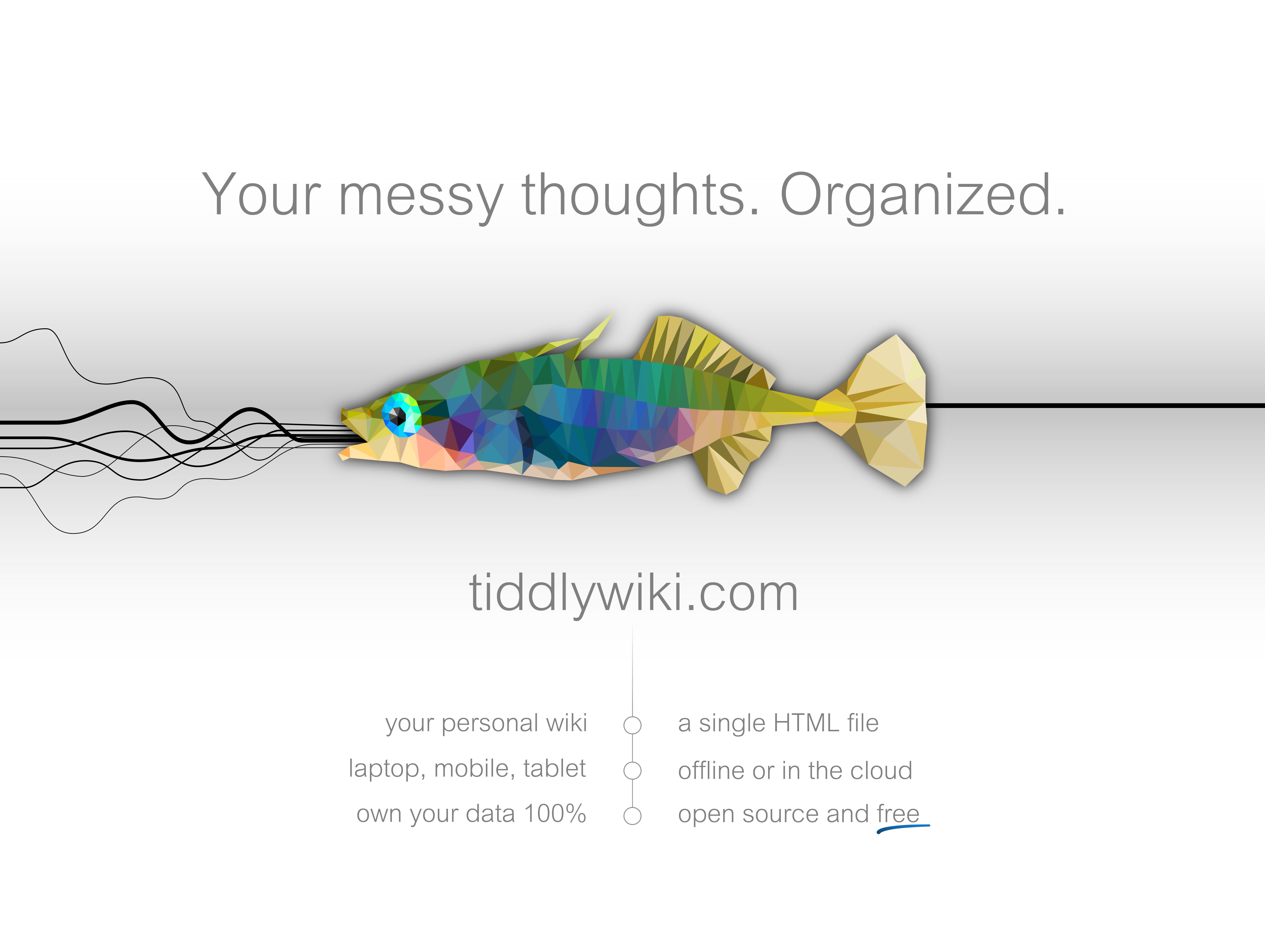
A bit of a tangent, but I'm looking at the (official? shown on site) Tiddlywiki poster[0], and I just have to ask: what is that fish doing, and does this really communicate something positive about the product?
('Tiddler' is perhaps BrEng slang? I'm British, and I'd say it's slang - especially when applied not to a fish, but to something or someone small - but I don't know how widespread it is.)
The most unique thing for me is the fact that it's an .html file that you can just download and run. The data/saving mechanism is completely separate. This "unhosted-ness" seems to be a growing trend.
I tried using TiddlyWiki some years back but never really reached the stage where I felt I could definitely trust my use of it to result in it saving my notes properly. The real utility of it, I'm sure, comes with a large corpus - but I never got there.
At the time though, my only option was keeping it as a local file on a single machine - these days my home infrastructure is much more developed, and I think I might have more luck running it on a proper http server. Maybe I'll give it another shot.
I've been writing a personal encyclopedia for the last five or six years or so. I have some 1500+ articles multiple of which are 50+ pages. I think it's been really valuable. I think I get a few things out of it:
1. Perfect recall. Every little detail I read in a book/blog/article stays with me. Makes it easy to synthesize results from multiple pieces across time, which is useful when you only have a casual interest in something. (I really like downloading the cool education images/GIFs and and inserting them in articles- otherwise I don't know where I'd keep them.)
2. Reveals what I don't know about a subject. For example, whenever I start off writing a new article on some topic, the first thing I write is a definition, e.g. "A cat is an animal that ...". The process of doing that often reveals gaps in my understanding.
3. It makes me better at asking questions when I'm trying to understand something. The analogy I like to make here is that learning a second language is harder than a third language, because after learning the second you know what you need to know to understand a language. But there's no reason that should be limited to languages and couldn't apply to all things, and things themselves. Some questions I like to ask are "What is the function/uses of this thing?" "What are the parts of this thing and how are they arranged?" "How do we make this thing?" "What's the history of this thing?" "What subtypes of this thing are there?"
The downside is that it dramatically slows down my reading speed, since I now feel I need to take detailed notes, and then I often have to reconcile them with notes on other things which can be time-consuming. Considering the number of books a person could realistically read in their lifetime is limited, it's unclear if it's worth the tradeoff.
I'm curious how other people think about remembering things, and if they have a system, what tools they use. It seems unsatisfying to me to read a book and realize I'll probably forget it in four years, yet most people seem content to do so.
If anyone is interested in the specific software I use, here's the Github project: https://github.com/Ceasar/Encyclopedia. It uses restructuedText (as opposed to Markdown) for the text. I edit them using Vim. All the files are stored in Dropbox so it gets synced between my devices. A simple Flask web server renders the pages in a prettier format.
Still very primitive compared to what it could potentially be, but combined with regular Unix command line tools it's worked fine for my needs. (I like the idea of a hacker-wiki by the way, more than something like this which comes out of the box. Seems like an personal wiki designed for a power user could be way more interesting.)
I have the same fear of forgetting things and the desire to remember everything I've learned. I'm an academic, so mostly this means references to papers and books I've read, along with notes summarizing their contents.
(My PhD advisor used to say that a sign of learning isn't whether you remember something -- it's how quickly you can re-learn it. So I try to make it easy to find and re-learn things I need.)
Since I need to cite papers, I had to put together a system that can read BibTeX bibliographies and format them into references. I cobbled together a Hakyll config that uses Pandoc and KaTeX to turn Org files into HTML pages, with a simple chronological listing: https://www.refsmmat.com/notebooks/
I've found this useful for my own reference and to share with others -- if someone asks me about some topic I've read about, I can just send the notebook link with summary and citations.
I'd like a version that doesn't need separate BibTeX files (though that should be easy to solve with a couple scripts or some Emacs packages), and perhaps intelligent full-text search, but for the moment I like that it produces static HTML that will last forever.
Thank you for sharing. I have a system that is kind of like this. Except it's not meant for memory as much as analysis. And I don't consider the entries "articles" but rather refer to them as "models" as in mental models. Like a real life model, say a toy car, I try to cover enough bases that it--metaphorically--at least _resembles_ a car at first. Then as I identify needed leverage points in the model, I refine my analysis and expand the model. So maybe at that point it has a hood you can open, and an engine you can see, so to speak.
I think I'm at or near around 800 of these, and many are very short. But no matter how short they are, they are all there because they provided me or continue to provide me with needed leverage.
I keep the bulk of the information in markdown in a Dropbox folder and also occasionally try new methods. For example, for topics that will quickly benefit from hyperlinks, I developed a LibreOffice web template and a companion PHP script that indexes these files and inserts additional CSS, variables, JS, etc. when they are served up. For searching I like Regexxer a lot, but I also use grep quite a bit :-)
On my XFCE desktop are buttons for opening a random one of these files, and for opening a random journal entry to try to harvest new models, so to speak.
And there's some paper involved here too... Can't get away from it, because paper has its own special leverage points...
I'm not concerned about memory, knowing it's a special weakness of mine. If I'm working in a context where memory is super important, my energy is best spent moving to a more sustainable context. :-) Memory is a hobby for me, a side gig for memorizing pi, that kind of simple and fun thing.
A model has leverage points if there are parts of it that can be useful for solving a problem. For example, a website-building model might provide useful links to software that can be used to build different kinds of websites. Those links are important leverage points.
Each model has different leverage points. Your comment, taken as part of a model of your psychology, provides leverage for understanding that part of my text was not well received by your psychology.
Regarding the hood, look at it this way: If you don't know much about cars, you might look at a simple toy car _without an opening hood_ and make assumptions about what happens in the front of the car. When you get a car where the hood opens, maybe all of a sudden you make a huge leap: There is stuff under here, and it does something. So at this point, maybe you start working on (by asking around, or reading), or building, a model with a working engine. Or even just a working dipstick, who knows. As the parts are revealed, the model gains leverage. Pretty soon you are able to run more advanced simulations and predict traffic dynamics, things like that. Or you change models and learn the leverage points of the tractor, or motorcycle. You begin to learn why a motorcycle is helpful and even necessary in some circumstances. Texts work the same way as they unfold. And there are also various text-creation methods that expose different leverage points. Reliance on charts and graphs, or emotive graphics, etc. All of it is helpful in some way, and maybe--like my original comment--low-leverage in other ways and for other people.
Anyway I hope that helps, but I know I'm still couching this in metaphor which isn't a high-leverage communications method for everyone. YMMV, which is what makes human psychology so cool.
> I have some 1500+ articles multiple of which are 50+ pages
Holy shit. Make it public.
The idea is fantastic. I would love to have something like wikipedia but people have separate pages on topic.
Or, in other words, if you want to find everything written by given person, why not that easy it is doable - it was more doable back when blogs were more popular.
But if you want to find everything on given topic written by different people that's not such an easy task. I feel like it should be solved soon by machine learning and evolution of search engines, but you still have the problem of which authors (or inevitably bots) do you actually want to see. This can be solved with a global web of trust.
'cbau, if you do make it public, I would humbly suggest making it very difficult for people to send you feedback. It would be awful if something as useful to you as this became something you "have" to maintain and keep up-to-date for the sake of anyone else reading it. Make it clear to any readers that this is strictly a resource for yourself that just happens to be publically browsable.
Neither does keeping large amounts of well formatted documents privately. I can't hold myself accountable unless its public, and easily accessible with a search engine. Notes are primarily to break down topics and cement my understanding of it
Maybe this is just me but its pretty convenient to just type "name-of-article-you-made or name-of-video-you-made" on google and then get the files you've made.
Tiddlywiki's maintenance cost and learning curve / ability to create notes efficiently and effortlessly is not there to me. I've tried picking it up a dozen times in the last few year. A good notetaking app should get out of your way entirely, and only add a small cost of maintenance for the larger amounts of benefits you reap from it. Everything needs to be visible at a glance, with nothing hiding behind obscurity
Something like book reviews, you can write a review on goodreads to remember your opinions and thoughts were. You can bookmark things and use readwise to autosync and send you email reminders of things highlighted / quotes
Understanding is more important than recall. The brain does a great job
at making connections and dumping what's not important. The important
stuff gets absorbed like muscle memory. Even if it's not at the tip of
the tongue, it's part of the knowledge borg and emerges at the right
time.
Total recall might not even be possible. Information is relative. It
transmits different messages to different people. Each of us is
constantly changing, so the information also changes. Whatever thing
that the information was at one time, that thing rots as soon as it's
saved (same words, different thing.)
The rational brain likes to collect stuff and do busy work. Thank
goodness for the emotional brain which gets tired, bored and concludes
with "this is stupid" before nudging the rest of the brain to move on to
something else.
Not sure what the point of my comment is. When I want to access
information, I just Google it. Also, it's important to publish stuff.
Get the work in front of people for feedback. If it's not paying some
sort of rent (fighting off some other higher value of something to do)
then it's just cargo-culting. Much better to pass the time by going
outside to play and get in trouble like we did when we were South Park
age.
In a previous job as a presales engineer, I kept notes of prospects and customers in a TiddlyWiki. When I left, I handed the file over to my replacement. He told me after a few years that the "wiki" was of great help to him.
I looked into Tiddlywiki before but it seemed too involved to maintain easily and overkill for my use case. I have recently found https://www.notebooksapp.com/ and am in the process of converting all my desperate notes and documents into it using the internal linking to create my own kind of wiki.
Everything is plain text, has markdown support, apps on most platforms, ability to automate things for everyday use, and easier to use overall.
I was wondering if it was the same project I remembered! I used to use it in high school, with its stored on a USB stick that i'd carry around on my keys. Was pretty useful at the time, wouldn't want to carry around a USB stick now, but using dropbox is interesting.
That said, the list of literally 20 different ways of storing your Tiddlywiki data is user-hostile. Don't tell me that you have a Node server and a PHP server, just give me the easiest way to self-host, how to use Dropbox/Google Drive, or perhaps one more option. You can include a link to "other options", but don't put them front and center.
Even open-source tools that appeal to us nerds need some attention to marketing.
Once you're seeing the page you have it all. Click the "Save..." button to keep a local copy with any edit you've made. If you right-click and "save page" you'll get the original content only.)
TiddlyWiki is great, but I really need is something like Notational Velocity but everything is stored in a single html file (with .js embedded of course), so that it's very portable.
https://www.notion.so offers an excellent balance of power & simplicity. Definitely worth a try for those who prefer to visualize the connection between different projects. Shines in long-term planning & wiki knowledge collection.
After TiddlyWiki classic with tons of plugins, I used SpringPad while it lived, then Evernote but markdown was able only via browser addon (Markdown here or something). OneNote never suited for my needs and finally settled down with Quip.com. It is like TW with all fancy plugins + live editing...
A text file formatted as markdown and a text editor is an easily searchable flat wiki. After having tried _a lot_ of stuff I can say that nothing beats it on my usecas e.
Does it integrate with Gitub Pages? I'd like my personal WiKi to be shared as a part of my Jekyll-powered Gitub Pages blog (and I'd love to see more people go this way sharing their knowledge).
I'd like to be able to press a shortcut key and have my computer save a screenshot of whatever I'm looking at, along with letting me type a brief note for context. Ideally it would also record the URL of whatever the browser was visiting (if it's a screenshot of a browser page), or the file path of whatever was open.
So basically Pinboard, but for pages of PDFs and other random scraps.
Evernote does something like this. And it let's you search for text in the images as well. I have over 12k notes in Evernote. Many screenshots. It has excellent OCR capabilities, full-text search (via Lucene?) and syncs across devices.
Yep search, search across attachments and web page capture means that Evernote rules in this space for me.
Evernote has traditionally been marketed as a note-taking app but for me it is a personal database/encyclopaedia. The ease of finding anything without having to worry about structure or links (though I have a bit of both) is fantastic.
Mainly macOS. Well, to begin with: I don't perceive it as "terribly slow". Yes, it has hiccups at times, but we are talking about several thousand notes. And in that range I haven't seen a real altrrnative. For instance I imported my 12k notes in BearApp. The app won't open anymore after the import.
I am in the exact same position. Especially so after several senior execs left the Evernote company. I even work on a custom notes store (Django and mysql backed) to keep kopies of all my notes because I really see no real alternative with the search capabilities of Evernote. And no, OneNote is not the same (search wise)


- Importing from Evernote (.enex files)
- Cross-platform support (Win/Lin/Mac) + Mobile apps (ios / Android)
- Synchronization (Dropbox, Onedrive, Nextcloud, WebDAV, Filesystem)
- Support for encryption
- Webclipper extension (for Firefox and Chrome)
- It's FOSS, with a number of active contributors on GitHub (https://github.com/laurent22/joplin). A good bus factor and no more dependence on the whims of private organizations.
- A command line interface
- Use of Markdown. Drag and drop support for files and media in the GUI.
There are still features of evernote I miss such as inline PDFs and audio recording